




Keeping track of your business’ finances is pretty important. It’s the compass that guides your decisions and keeps you on the path to success and not harming your cashflow. Now, you might be thinking this sounds like complicated number crunching best left to the professionals.
Not anymore. This is where accounting software for small businesses comes into play. It’s not just for accountants anymore, it’s a powerful tool that can genuinely help any business owner manage their money effectively.
Let’s explore why having financial management software is no longer a luxury but a real necessity for your business.
What Is Accounting Software?
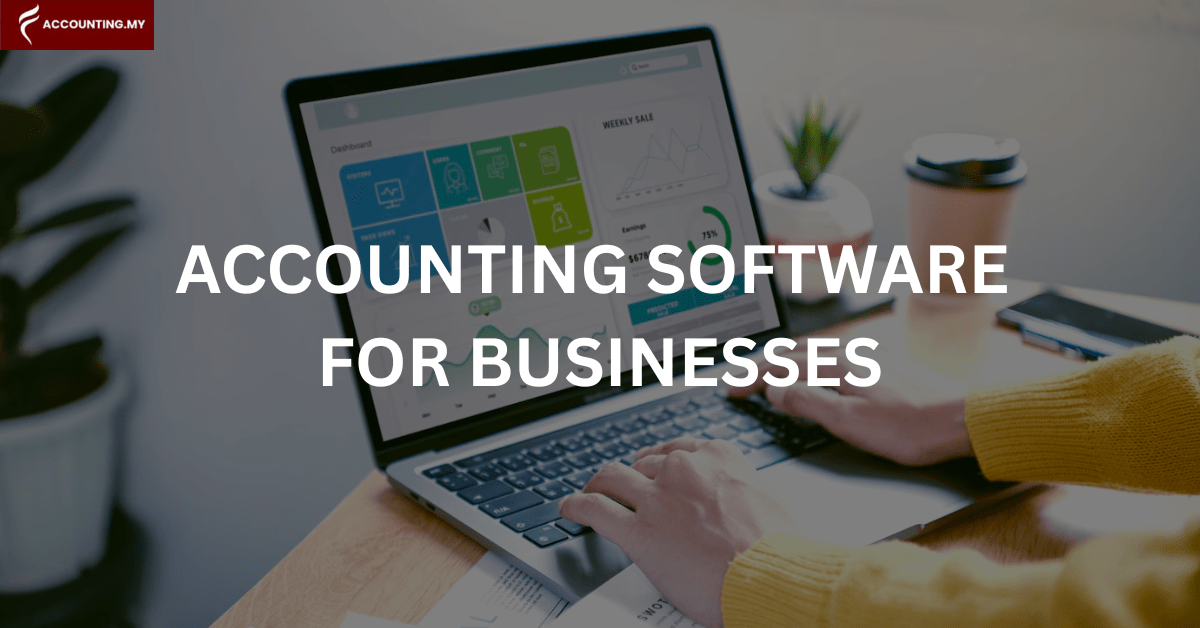
Accounting software is a computer program designed to manage and record the day-to-day financial transactions of a business or organisation. It helps track income, expenses, assets, and liabilities, often automating tasks like data entry, invoicing, and report generation.
This makes it easier for businesses to gain a clear and organised view of their financial standing without getting bogged down in endless paperwork.
The Types of Accounting Software
Here’s a breakdown of the different types of accounting software available to help businesses manage their finances in 2026:
Software Type | Best For | Key Features | Deployment | Examples |
Spreadsheet Software | Very Small Businesses, Simple Needs | Manual Entry, Basic Calculations | Desktop | Microsoft Excel, Google Sheets |
Commercial | Small to Medium Businesses | Automation (Invoicing, Reporting), Basic Financial Statements | Desktop/Cloud | AutoCount, SQL Account, QNE, UBS |
Enterprise Accounting | Large Organisations, Complex Needs | Comprehensive Features, Scalability, Integration, Advanced Reporting & Analysis | On-Premise/Cloud | SAP, Oracle NetSuite, Microsoft Dynamics 365, Sage 300 |
Custom Accounting | Businesses with Unique Requirements | Highly Tailored Features, Integration with Specific Processes | Tailored | Bespoke / industry-specific systems (built to integrate with your POS/ERP/payment workflows) |
Cloud Accounting (Online/Web) | Businesses of All Sizes, Remote Teams | Accessibility Anywhere, Real-Time Data, Collaboration, Automated Updates | Cloud-based | Bukku, Financio, Xero, Zoho Books, QuickBooks |
In Malaysia, LHDN e-Invois readiness and integration options are now a key deciding factor for most SMEs.
How to Choose Accounting Software in Malaysia (2026)
Not every accounting system fits every business. Before you pick one, check these practical points:
- E-Invois readiness: Can it support Malaysia e-Invois workflows (native or via integration), and can it handle corrections cleanly (credit/debit notes)?
- SST and reporting needs: Can it produce the reports you need for filings and year-end work without manual reformatting?
- Inventory requirements: Do you need stock tracking, batching, multi-warehouse, or is it service-only (no inventory)?
- Banking and reconciliation: Does it support bank feeds, rules-based matching, and easy month-end close?
- Multi-branch control: If you have multiple outlets, can it separate branches while keeping consolidated reporting?
- User permissions: Can you control access by role (sales, admin, finance), especially if multiple staff issue invoices?
- Integrations: Does it connect to your POS, e-commerce store, payment gateways, or CRM so you’re not exporting spreadsheets every week?
Local support: In Malaysia, responsiveness matters. Make sure training and support are available when deadlines hit.
The Benefits of Using An Accounting Software For Small Business
1. Real-Time Data
Forget sifting through old records to get a sense of your current financial position. Most cloud accounting software provides you with information that’s practically live. Need to send out a bill? Done. Need to send out a bill? Done. Want to see what’s owed to you, what you owe suppliers, or your cash position? A few clicks away.
The key is to identify the specific functions you know you’ll genuinely use, guaranteeing the software becomes a practical tool in your daily operations.
2. Streamlining Operations and Productivity
Remember those hours spent manually typing in invoices or wrestling with spreadsheets to create reports? Billing software takes over these repetitive tasks, automating them so you don’t have to. Sharing financial details with your team or your accountant becomes straightforward too.
This freeing up of time allows you and your staff to focus on tasks that truly require a human touch and contribute directly to growing your business.
3. Accuracy and Tracking
Let’s be honest, when humans handle large amounts of data, errors can creep in. By automating many of the tedious procedures involved in financial record-keeping, accounting software significantly reduces the chances of these mistakes happening.
What’s even better is that if any inconsistencies do occur, the software can often flag them early, allowing for quick and accurate corrections.
4. Financial Clarity
Imagine having instant access to clear reports on your cash flow, how profitable you are, and the overall state of your assets and liabilities. That’s the power of financial software.
This immediate convenience means you have reliable and the most current financial information right at your fingertips, empowering you to make informed decisions that steer your company in the right direction.
5. Makes Tax Filing Easier
Tax season can be a great source of stress for many business owners. Gathering all the necessary documents, ensuring accuracy, and meeting deadlines can feel very overwhelming for the tax filing process.
A good accounting software helps maintain your financial records organised throughout the year that aligns with Malaysia tax requirements.
Many Malaysia-focused systems support SST-friendly reporting and are building native e-Invois workflows; international platforms may require third-party integrations. Some financial management software even integrates with tax preparation services, making the whole process smoother.
6. Integration with Other Business Tools
Many accounting system software options can connect with other tools you might be using for your business, such as e-commerce platforms, payment processors, and customer relationship management (CRM) systems.
This integration can further automate processes and provide a more holistic view of your business operations. For example, sales data from your e-commerce platform can automatically flow into your accounting software, saving you time and ensuring accuracy.
Addressing Common Concerns
It’s normal to have hesitations before switching systems. Here are the big ones, and what to look out for:
- Cost: Think in terms of ROI. Time saved, fewer mistakes, and better reporting often outweigh monthly fees.
- Learning curve: Choose software with good onboarding, local support, and a clean interface your team will actually use.
- Data security: Use reputable providers with encryption, backups, and clear access controls (user roles matter).
- Migration: Ask how imports work (opening balances, customer/supplier lists, historical transactions) and get a clear migration plan.
Setting Your Business Up for Success
While the basics of tracking income and expenses remain the same, the tools available to manage these important aspects for your business have evolved significantly. Accounting software is no longer just a fancy add-on, it has become a fundamental tool for businesses looking to modernise and streamline their operations
As a certified AutoCount dealer and partner of SQL Accounting, Accounting.my brings over 19+ years of industry experience to provide the robust accounting software you need to streamline operations, gain valuable business insights, and ensure compliance.
Plus, enjoy free first-year support as you set your business up for success with us!
Frequently Asked Questions About Accounting Software For Small Businesses
Yes. Many modern accounting software solutions offer features for creating budgets, tracking performance against them, and generating financial forecasts to aid in strategic planning.
Absolutely. Robust accounting software often includes multi-currency support, allowing you to handle transactions and reporting in various currencies with automated exchange rate adjustments.
Many accounting software options offer seamless integration with popular e-commerce platforms, automatically syncing sales data, inventory levels, and customer information.
Most modern accounting software is designed with user-friendly interfaces, requiring only basic computer literacy, and vendors (such as Accounting.my) provide training and support resources.
Yes, many systems have features for tracking employee expense claims, managing approvals, and integrating them into your overall financial records.
Yes. Especially with cloud-based accounting software, you can typically access your financial data securely from various devices such as desktops, laptops, tablets, and smartphones.